Greenery Wreath Clipart Watercolor: A Designer's Asset Guide
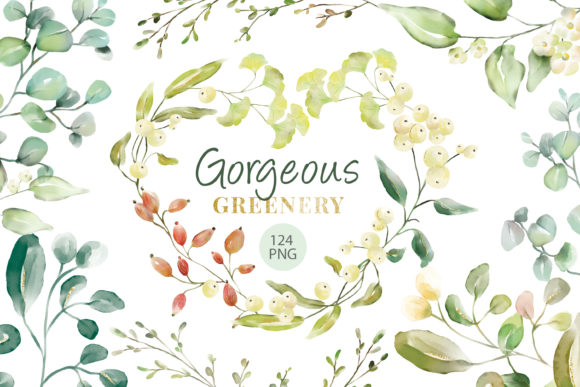
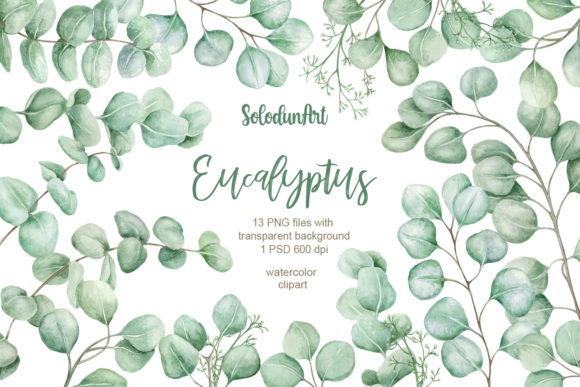
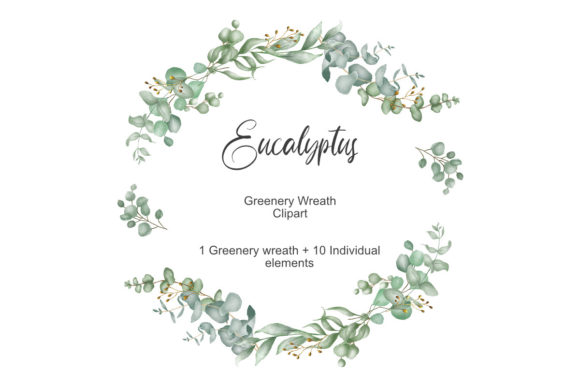
In the world of digital design, where authenticity and organic charm are increasingly prized, Greenery Wreath Clipart Watercolor offers a unique blend of artistic texture and practical versatility. This isn't just a static graphic; it’s a collection of high-quality, transparent PNG elements depicting a delicate Eucalyptus Wreath and its constituent parts, rendered in soft watercolor strokes. Creators from beginners to seasoned professionals gravitate towards this style for its ability to instantly convey a sense of natural elegance, warmth, and handmade quality in projects ranging from wedding invitations to boutique product labels.
However, the appeal of such beautiful assets can sometimes lead to rushed decisions or overlooked fundamentals. Understanding precisely what you’re acquiring and how to deploy it effectively is key to avoiding frustration and ensuring your final designs look polished and professional.
Overlooking Resolution and File Specifications
A common, yet critical, misunderstanding involves treating all "digital clipart" as equal. The term "clip art" itself can evoke memories of low-resolution, generic graphics, which is far from the reality of premium watercolor elements like this Greenery Wreath set. One of the most frequent mistakes is downloading or purchasing assets without verifying the technical specifications.
For instance, this particular collection provides files at 3600 pixels and 300 DPI. Using a low-resolution version (say, 72 DPI web graphic) for a printed wedding invitation would result in a blurry, pixelated final product, undermining the delicate watercolor effect entirely. Conversely, using an enormous 300 DPI file for a tiny web icon wastes storage and can slow down design software. The impact here is direct: poor quality output or inefficient workflow.
The practical advice is simple: Always match the asset's resolution to your project's final output medium. Before integrating any clipart, check its DPI and pixel dimensions. For print materials like cards, tags, or packaging, 300 DPI high-resolution files are essential. For purely digital use (website graphics, social media), you can often resize the high-res master file down to a suitable web resolution (often 72-150 DPI), maintaining quality while optimizing performance.
Misunderstanding "Transparent Background" and Composition
The phrase "PNG with transparent background" is a major selling point, but its utility can be overlooked. A mistake beginners often make is assuming the entire wreath is a single, inflexible unit. In reality, this Greenery Wreath Clipart Watercolor bundle includes 10 individual elements. This is a powerful feature. Perhaps you only need a few eucalyptus leaves for a logo, or you want to rearrange the branches around a different centerpiece for a custom label.
Using only the pre-composed full wreath when your design calls for a more tailored arrangement limits your creativity and can force awkward layouts. It might lead to you manually trying to cut elements from the wreath, which damages the artistic integrity of the watercolor edges.
A better approach is to leverage the individual elements. Think of them as a toolkit. Open the folder and examine all the separate leaves, sprigs, and wreath segments. Use them to build a smaller cluster for a logo, scatter them as decorative accents on a blog header, or combine them with other watercolor floral assets for a summer clipart collage. This approach maximizes your investment and grants true creative freedom.
Neglecting Appropriate Application and Style Consistency
Watercolor clipart, especially with a greenery theme, carries a specific aesthetic—soft, organic, and often rustic or elegant. A common error is trying to force this style into a design context that clashes. For example, pairing these delicate, hand-painted eucalyptus elements with harsh, stark geometric fonts and solid neon colors might create visual discord, confusing the message your design communicates.
The effect is a disjointed, unprofessional presentation that can weaken brand perception or diminish the emotional impact of an invitation. The clipart's beauty gets lost in the noise.
To avoid this, consider the mood you intend to create. Greenery wreath watercolor art naturally complements softer color palettes (sage, cream, blush, muted gold), classic or handwritten fonts, and designs aiming for a "natural," "bridal," "artisanal," or "gentle" tone. Before starting, define your project's visual voice. If it's modern minimalist or tech-focused, this specific asset might not be the ideal choice. Select elements that harmonize, not fight.
Failing to Verify Licensing and Usage Rights
Even with clearly labeled "digital download" assets for personal and commercial use, a mistake is proceeding without a final, explicit check of the license terms. The description typically outlines uses like logo design, invitations, labels, and packaging. However, some creators might overlook restrictions—for instance, whether the license permits use on physical products for resale (like stickers) or only on personal projects.
Using artwork outside its granted permissions can lead to legal complications and ethical issues, potentially damaging a business's reputation.
Always make this your final pre-purchase check. Look for phrases like "commercial use," "no attribution required," or "print-on-demand allowed." For this specific set, its application list is broad, but confirming this gives you peace of mind and protects your projects. Remember, "digital download" means you receive files, not physical prints, but it doesn't automatically define every commercial use case.
Underestimating the Value of Original Artwork
In a market saturated with derivative designs, the point that these are original artworks by dekkagraph is significant but often glossed over. Choosing generic, mass-produced clipart can result in your designs looking commonplace. You might see the same wreath on a competitor's product, diluting your unique brand identity.
Prioritize original art. It ensures a higher degree of uniqueness and artistic quality. When evaluating any watercolor clipart, inquire or look for signs of originality. Distinctive brush strokes, color blending, and composition indicate a human artist's touch, which translates to more authentic and standout designs. This greenery wreath set, as an original piece, offers a specific character you won't find everywhere, elevating your work.
Practical Steps Before You Download or Design
To integrate Greenery Wreath Clipart Watercolor successfully, take these constructive steps. First, audit your project's needs: Is it for print or digital? What size will the final asset be? This dictates your resolution check. Second, plan your composition: Will you use the full wreath frame or deconstruct the individual elements? Sketch a quick layout. Third, ensure style alignment: Gather your chosen color palette and fonts to see if they complement the watercolor greenery feel. Finally, confirm the license for your specific commercial intent.
By paying attention to these often-overlooked details, you move from simply using a pretty graphic to strategically applying a versatile design asset. This transforms your wedding invitation cards, logo designs, and summer clipart projects from amateur attempts to coherent, beautiful, and effective communications, fully realizing the potential of the watercolor eucalyptus wreath in your creative toolkit.