Watercolor Bouquet Vector Art for Elegant Design
Imagine capturing the gentle, organic beauty of a watercolor painting and applying it seamlessly to your digital projects. That’s the precise value of a Watercolor Bouquet Vector collection. This isn’t generic clip art; it’s a digital translation of an artist’s hand-drawn work, preserving the subtle washes, delicate brushstrokes, and authentic texture that make watercolor so captivating. For anyone needing to convey warmth, sophistication, or a personal touch in their designs, this resource bridges the gap between traditional artistry and modern digital workflow.
The Artistic Core: From Hand-Drawn to Digital
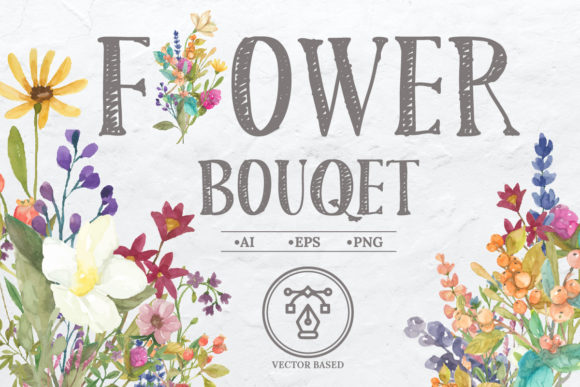
The foundation of this collection is its artistic origin. An elegant flower bouquet was manually drawn with an original touch of a watercolor artist. This process ensures each petal and leaf carries the inherent variability and charm of real paint on paper—soft edges, blending colors, and nuanced imperfections that feel alive. This artistry is then meticulously processed into a fully digital form. The result is a set of files that retain all that visual character while being perfectly suited for software like Adobe Illustrator or Photoshop. This means you get the aesthetic appeal of custom artwork without the time, cost, or skill barrier of commissioning an original painting for every project.
Unlocking Flexibility with Multiple File Formats
Practicality is paramount. This Watercolor Bouquet Vector collection provides you with three critical file formats: an AI file, an EPS file, and a set of PNGs. The AI and EPS files are vector formats. This is perhaps the most significant benefit for professionals. Vector graphics are mathematically defined, meaning they can be scaled to any size—from a small sticker to a large poster—without any loss of quality or resolution. You can edit colors, separate elements, and manipulate compositions with total freedom. The accompanying PNG files offer ready-to-use, high-resolution raster images with transparent backgrounds, perfect for quick placement in digital layouts or software that doesn’t support vectors. This multi-format approach caters to different workflows, whether you’re a seasoned graphic designer or a blogger using simpler tools.
Creative Control: Your Personal Flower Arrangement
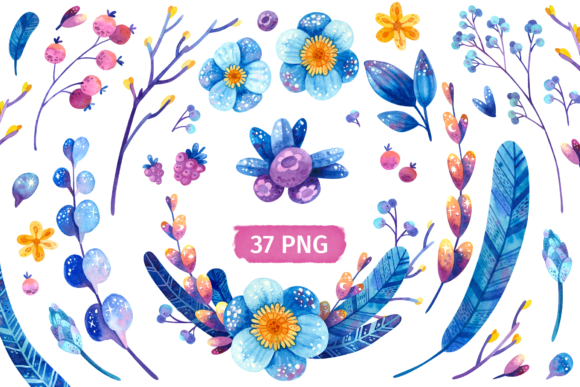
Beyond offering pre-made bouquets, this collection empowers your creativity with its component parts. It includes 14 exclusive floral elements—individual flowers, blossoms, leaves, and stems—alongside 6 pre-composed bouquet arrangements. This structure is a tremendous asset. You’re not just receiving static images; you’re getting a toolkit. It allows you to arrange your own flower “bucket,” building custom compositions that fit your specific need. Perhaps a client wants a invitation design featuring a particular flower not in the pre-set bouquets. You can isolate that element from the 14 and build a new layout. Or maybe you need a simpler, more minimalist cluster for a logo accent. The elements give you that control, saving you from searching for another asset or attempting to awkwardly modify a fixed bouquet.
Real-World Applications: From Invitations to Brand Materials
The described uses—invitation designs, thank you cards, stickers—are excellent starting points, but the application spectrum is far wider. Consider a freelance wedding planner creating a cohesive brand suite for a client. The watercolor bouquet vectors can form the visual anchor for the wedding website, invitations, place cards, and even social media graphics, providing elegant consistency. A small business owner in the wellness or lifestyle sector might use these elements to soften and beautify product packaging, blog headers, or email newsletters, adding a touch of refined nature to their communication. Educators and publishers could incorporate them into book covers, presentation slides, or educational materials to create a more engaging and aesthetically pleasing resource. The key is that the watercolor style communicates care, quality, and a human touch, elevating projects that might otherwise feel sterile or template-driven.
Who Benefits Most from Watercolor Bouquet Vectors?
This resource is particularly valuable for individuals and professionals whose work requires visual communication but who may not have dedicated illustrative skills or budgets. Marketers and entrepreneurs building their own brand materials can achieve a high-end look without hiring a designer for every task. Bloggers and content creators can instantly upgrade their visual content, making articles and social posts more attractive. Hobbyists and crafters designing personal projects for events or gifts gain access to professional-grade art. Even for seasoned graphic designers, such a collection serves as a high-quality starting component that can be integrated into larger works, saving valuable time on creating base illustrations.
Considering Fit and Potential Limitations
While the benefits are clear, it’s thoughtful to consider where this specific collection might not be the perfect fit. The aesthetic is distinctly soft, organic, and elegant. If your project requires sharp, geometric, ultra-modern, or highly technical imagery, a watercolor floral set may not align. Also, although the 14 elements offer flexibility, the library is finite. If you need an extremely wide variety of flower species or highly specific botanical accuracy, you might need to supplement this collection with other resources. However, for the vast majority of applications seeking warmth, beauty, and a handmade feel, this Watercolor Bouquet Vector set provides a remarkably comprehensive and practical solution.
Integrating the Art into Your Workflow
To maximize the value, think of these files as a dynamic design partner. Start with the pre-made bouquets for quick, beautiful results. Then, as your confidence grows, explore the vector files. Open the AI or EPS file in Illustrator. You’ll likely find the 14 floral elements grouped or layered separately. Experiment with recoloring: change the pink roses to a deep burgundy to match a brand palette. Extract a single magnolia bloom to use as a recurring subtle accent across a website. Combine a few leaves and a blossom from the elements with a text frame to create a unique logo for a local boutique. The PNG files, with their transparency, are ideal for drag-and-drop ease in Canva, Keynote, or Word for faster, less technical projects.
The true outcome of using such a resource isn’t just a prettier design. It’s efficiency—saving hours of searching or creating. It’s enhanced communication—using visual beauty to connect more deeply with your audience. It’s supporting your creativity—providing a springboard for your own ideas rather than a constraint. This particular collection, with its artistic integrity, multiple formats, and compositional flexibility, delivers these outcomes in a way that feels both premium and profoundly usable. By bringing the original touch of a watercolor artist into your digital toolkit, you elevate not just your projects, but the very process of creating them.